BytePip
How to copy trades between MT4 and MT5 accounts on the same PC
Trade once and have the same trade open on your other accounts: real, demo and prop firm, at the same broker or at different ones, in MT4 and MT5. Here is how local trade copying works and how to set it up in a few minutes.
Why copy trades between your own accounts
Placing the same trade by hand on three terminals is slow and error-prone: different prices, a missed stop loss, a lot size typed for the wrong account. A trade copier does it for you. Common reasons to use one:
- Several prop firm or funded accounts that you trade with the same plan.
- A personal account and a funded one, each with its own risk.
- Different brokers, to compare execution or spread risk across them.
- MT4 and MT5 at the same time, when a broker or a prop firm only offers one of them.
- A demo copy of your real account to test a change in risk or management first.
Local copying vs cloud copying
If you can run your terminals on one PC or VPS, local copying is the faster and more private option. It is how the Multi Account Local Trade Copier works: one Expert Advisor that you set as master on the source account and as receiver on the others, with no DLLs. It measures the real latency of every copy, typically 50 to 150 ms.
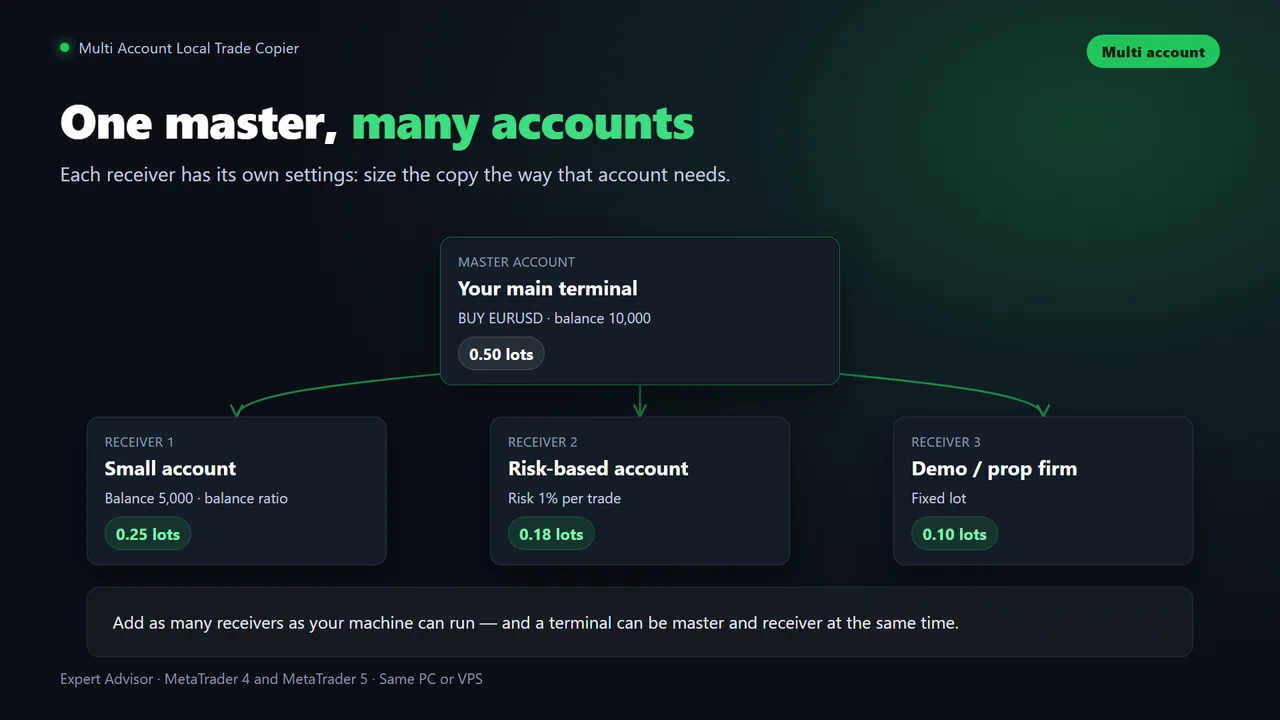
Each account, its own lot size
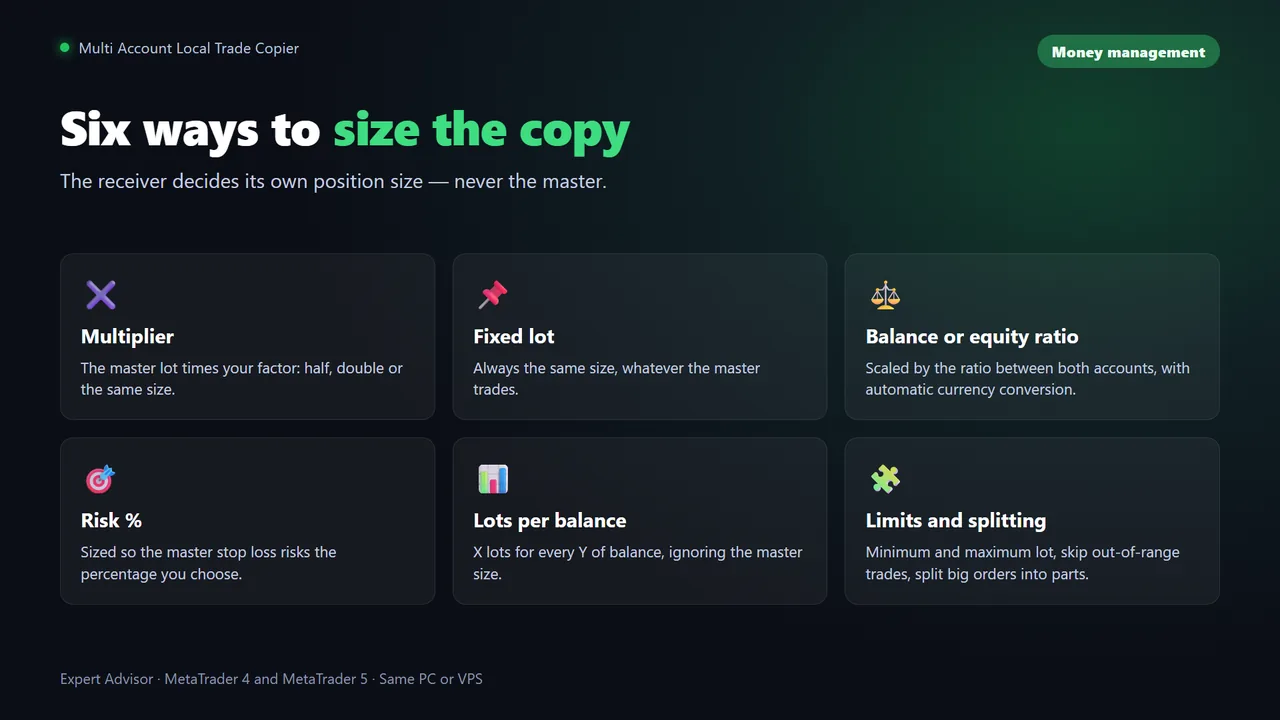
The most important decision is how big each copy should be. The master's 1.00 lot may be right for one account and far too much for a small challenge. A good copier lets each receiver size the trade its own way. In this copier, the receiver's Lot mode offers:
- Multiplier: a fraction or a multiple of the master's lot.
- Fixed lot: always the same size.
- Balance ratio or Equity ratio: proportional to the size of each account.
- Risk % (needs SL): each copy risks a percentage of the receiver account.
- Lots per balance: for example 0.10 lots per 1,000 of balance.
On top of that, each receiver can set a minimum and maximum lot, reverse the copy, use its own stop loss and take profit, and add breakeven and trailing to the copies.
Step by step: master and receivers
You need: the terminals of all your accounts open on the same Windows PC or VPS, and AutoTrading enabled on the receivers. To copy between MT4 and MT5, use the MT4 and MT5 versions of the copier together.
- Open every terminal on the same machine and log in to each account.
- Set up the master. Attach the copier to any chart of the account you trade from and set Mode to Master (sender).
- Set up each receiver. Attach the copier to any chart of each destination account, set Mode to Receiver, and turn AutoTrading on.
- Leave Master ID (AUTO = auto) on AUTO. Master and receivers find each other by themselves. Give each master its own ID only if you run more than one.
- Choose the Lot mode of each receiver, as explained above.
- Check the symbols. Prefixes and suffixes such as EURUSD.m are detected automatically. For different names, use Symbol map (A=B;C=D).
- Test with a small trade on a demo master. The panel on each receiver shows the copy and its latency.
Prop firm and funded accounts
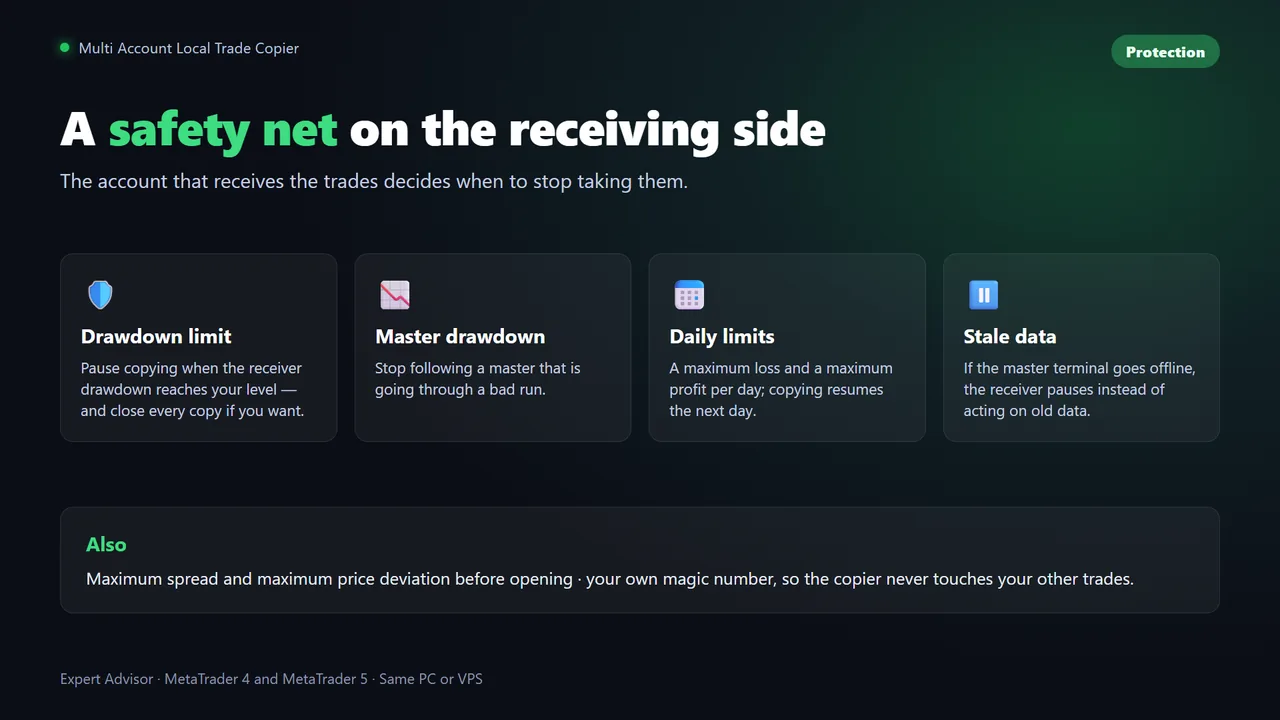
On a prop firm account, the receiver is where your safety net should live, because each account has its own limits:
- Max receiver drawdown % (0 = off) pauses copying when the account falls that much, and Close all on drawdown can also close every copy.
- Daily max loss % (0 = off) stops copying for the rest of the day.
- The schedule keeps new copies out of the days and hours you exclude, for example around news.
Check your prop firm's rules first. Some firms restrict copy trading, identical trades across several accounts or trading on accounts that are not yours. Copying between your own accounts is common, but the rules are the firm's, and they change.
Copy trades between your own accounts
Multi Account Local Trade Copier for MT4 and MT5: one master, unlimited receivers, six ways to size each copy and prop firm protection on every account.
Questions
Can I copy trades between MT4 and MT5?
Yes. With a local copier that has MT4 and MT5 versions, the master can be on one platform and the receivers on the other, in all four combinations, as long as every terminal runs on the same Windows PC or VPS.
Can I copy trades between different brokers?
Yes. Each terminal can be at a different broker. Symbol prefixes and suffixes are detected automatically, and different symbol names can be mapped.
How fast is a local trade copier?
Copies between terminals on the same machine typically take 50 to 150 ms with the Multi Account Local Trade Copier, which measures and logs the latency of every copy.
Can the accounts be on different computers?
Not with a local copier: every terminal has to run on the same Windows PC or VPS. To copy between machines you need a cloud copier or a signal service.
Is copy trading allowed on prop firm accounts?
It depends on the firm. Many allow copying between your own accounts, some restrict it. Check your prop firm's rules before copying to a funded or challenge account.