 BytePip
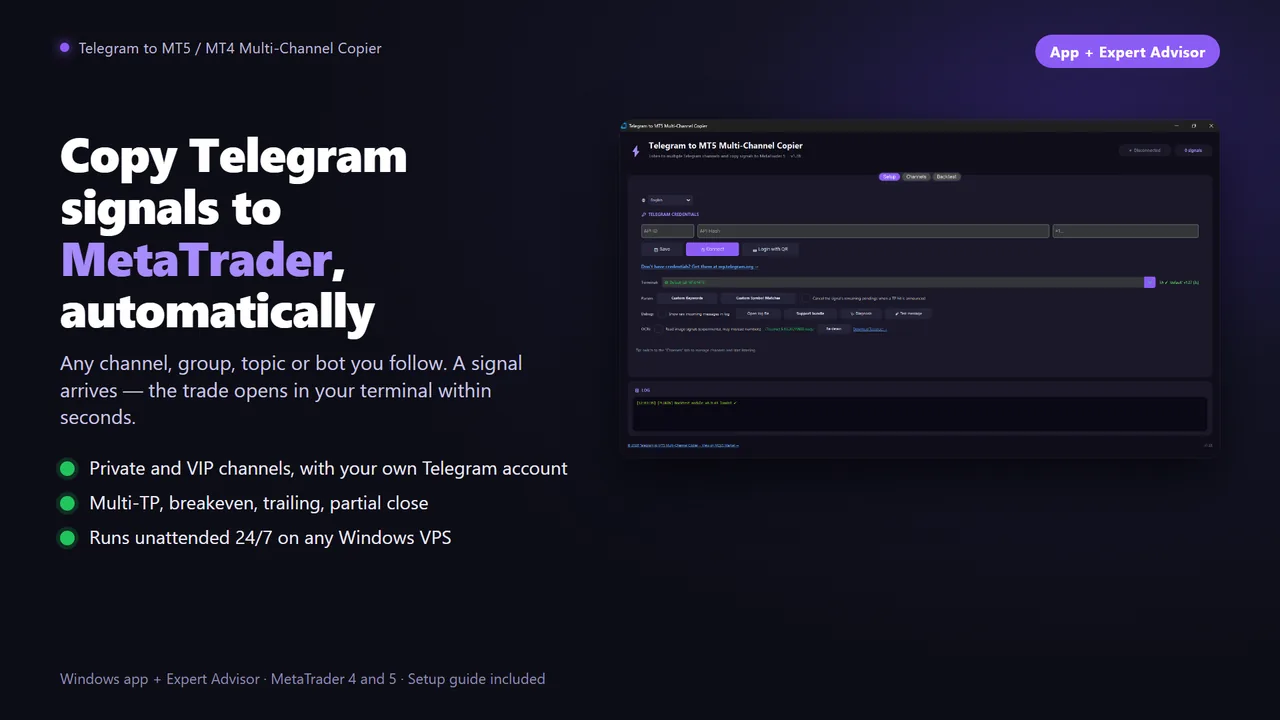
Copy Telegram signals to MetaTrader automatically
A signal lands in Telegram and the trade opens in your terminal within seconds: entry, stop loss and every take profit. Breakeven, close and new-stop messages are followed too. Any channel you follow, private and VIP ones included.
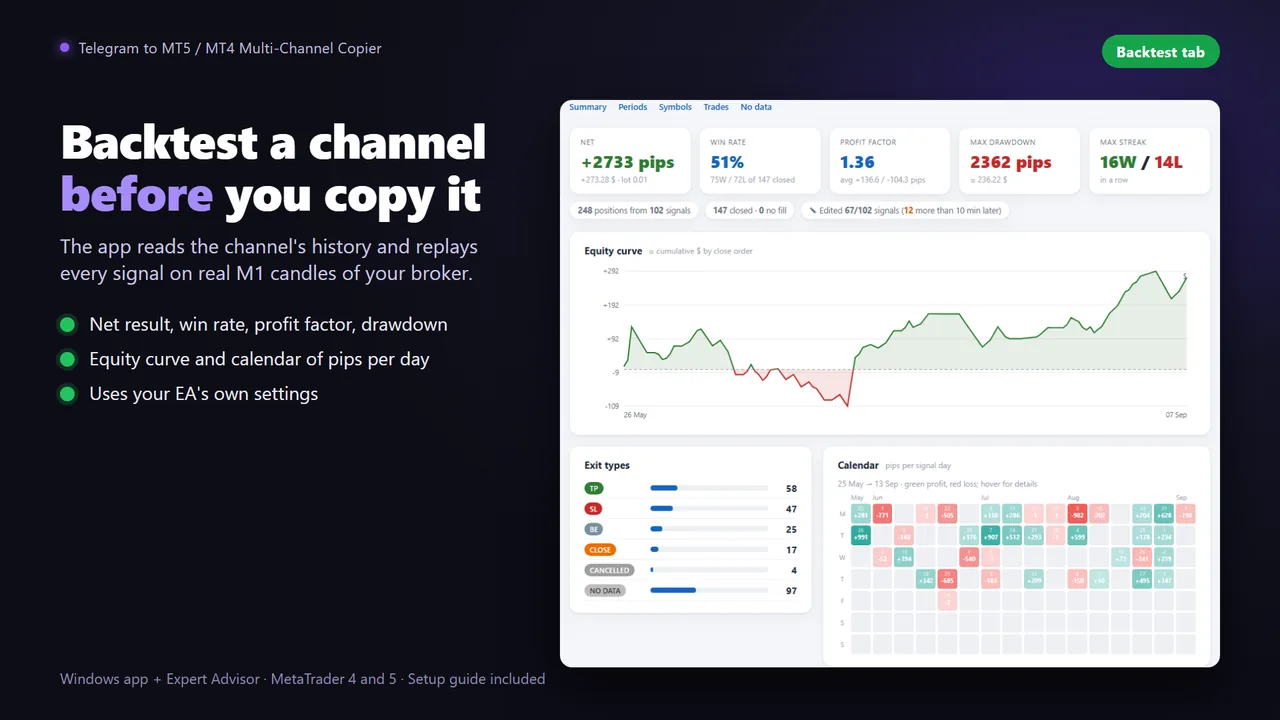
Backtest the channel. The screenshots won't tell you.
The Backtest tab downloads the channel's message history, reads every signal with the same parser the copier uses and replays it on real M1 candles of your broker. You see what that channel would really have done in your account.
- Net result, win rate, profit factor, max drawdown and the equity curve
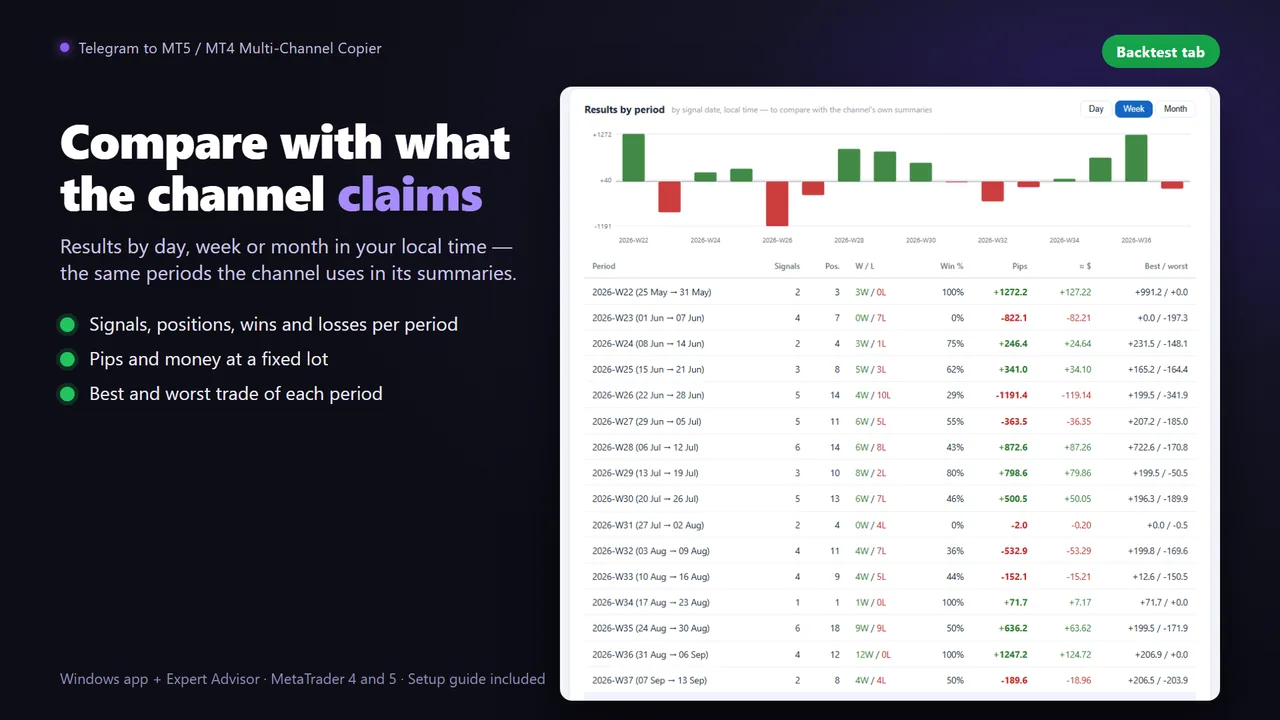
- Day, week and month results to compare with what the channel publishes
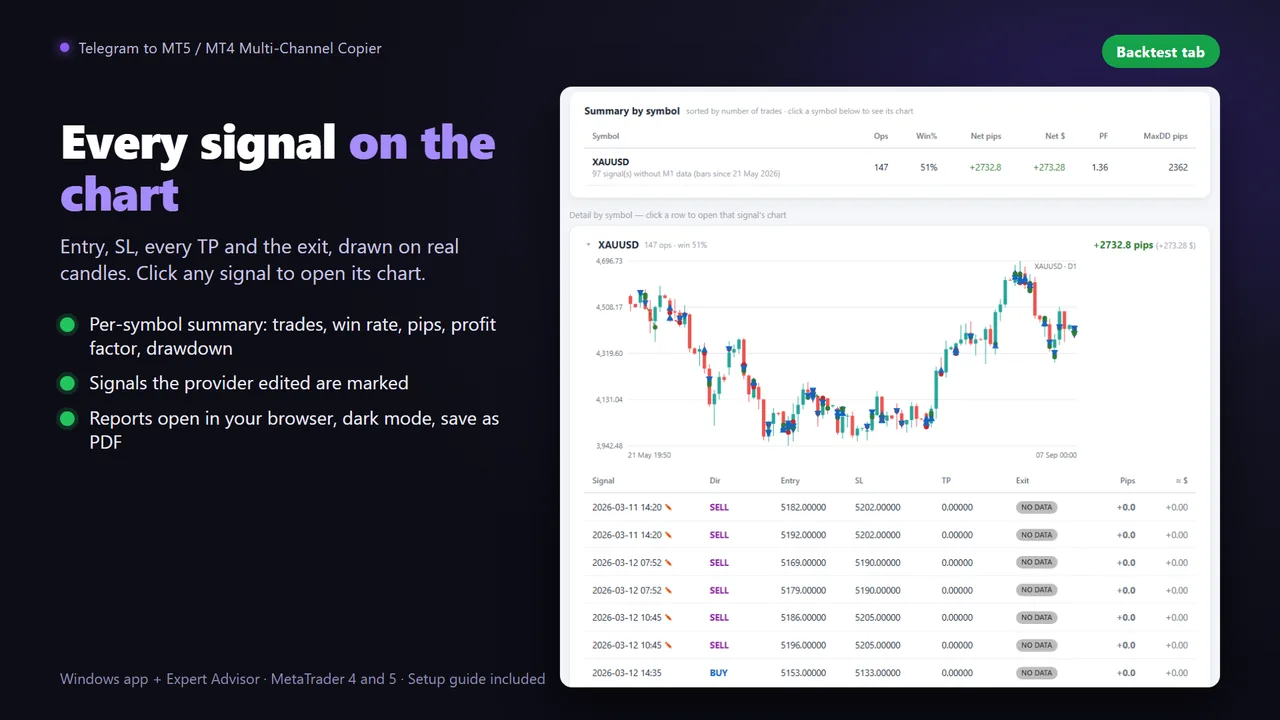
- Every signal on the chart: entry, time of the message, SL, every TP and the exit
- Edited signals marked: the ones the provider changed after posting
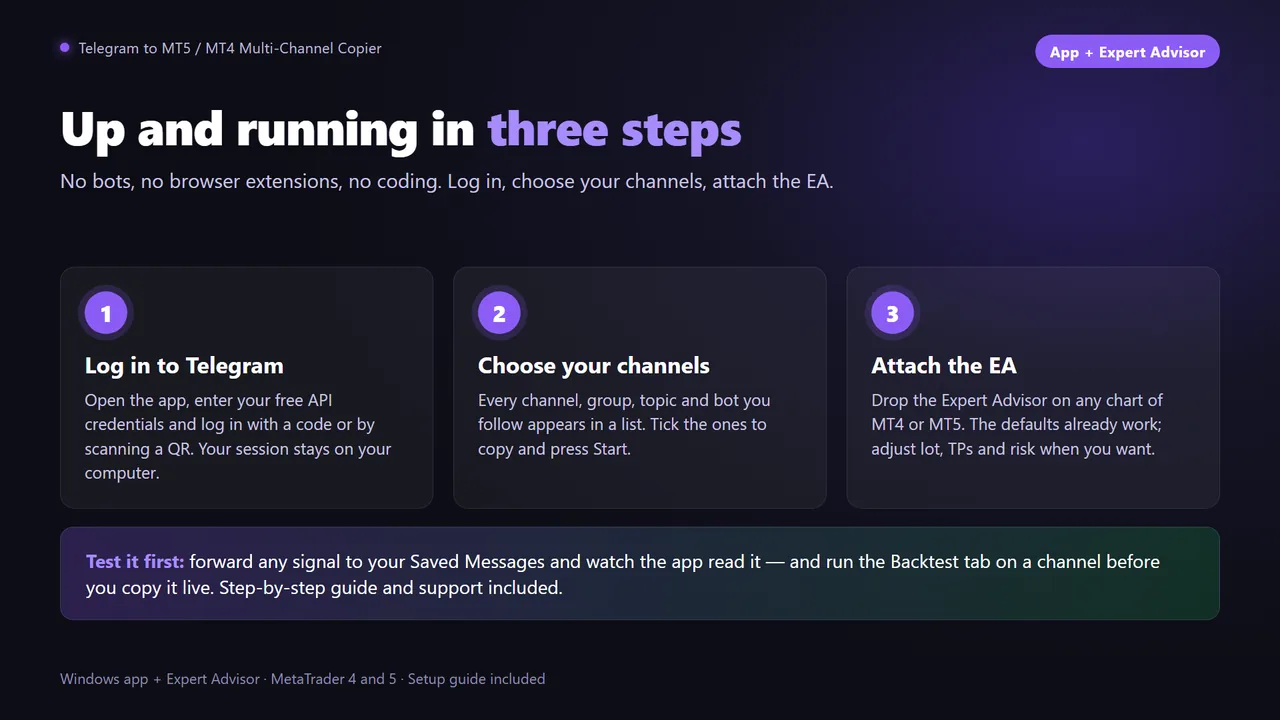
Up and running in three steps
Complete setup in 5 to 10 minutes. A Windows app listens to Telegram; the Expert Advisor executes in your terminal.
Log in to Telegram
Open the app and log in with your own Telegram account (first time only). If the code never arrives, scan a QR code with your phone instead.
Choose your channels
Pick any channel, group, forum topic or bot you follow. Add or remove channels without stopping the listener.
Attach the EA
Drop the EA on any chart of MT5 or MT4, set your lot and risk, and press Start. It runs 24/7 and reconnects by itself.
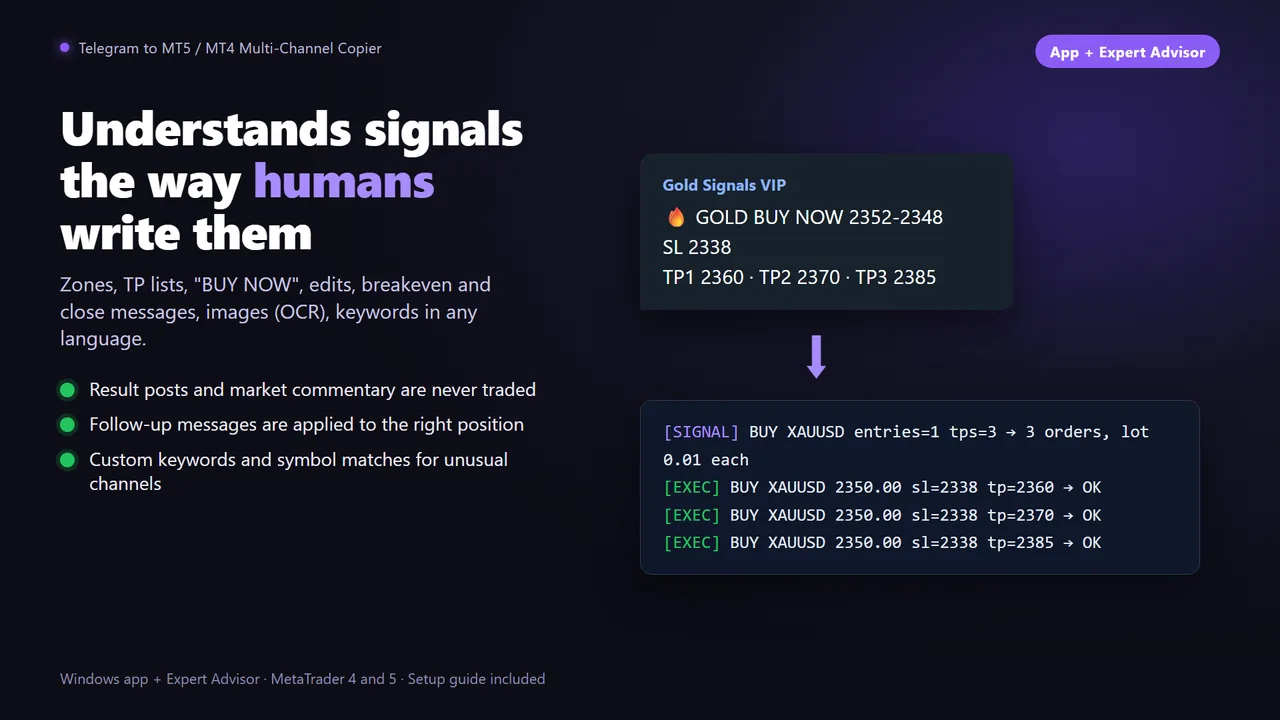
Reads signals the way humans write them
Entry price or zone, one or several take profits, stop loss, "BUY NOW", emojis, bold text, mixed languages and numbers in any format. Gold, forex, indices, stocks, oil and crypto out of the box.
- Follow-up messages applied to the right trade: breakeven, close, cancel, new SL or TP, edits of the original
- Never trades the noise: result summaries, "TP reached" posts and market commentary are ignored
- Your broker's symbols found automatically, suffixes included, plus your own word-to-symbol matches
- Image signals supported with OCR (free, external)
Everything the EA lets you decide
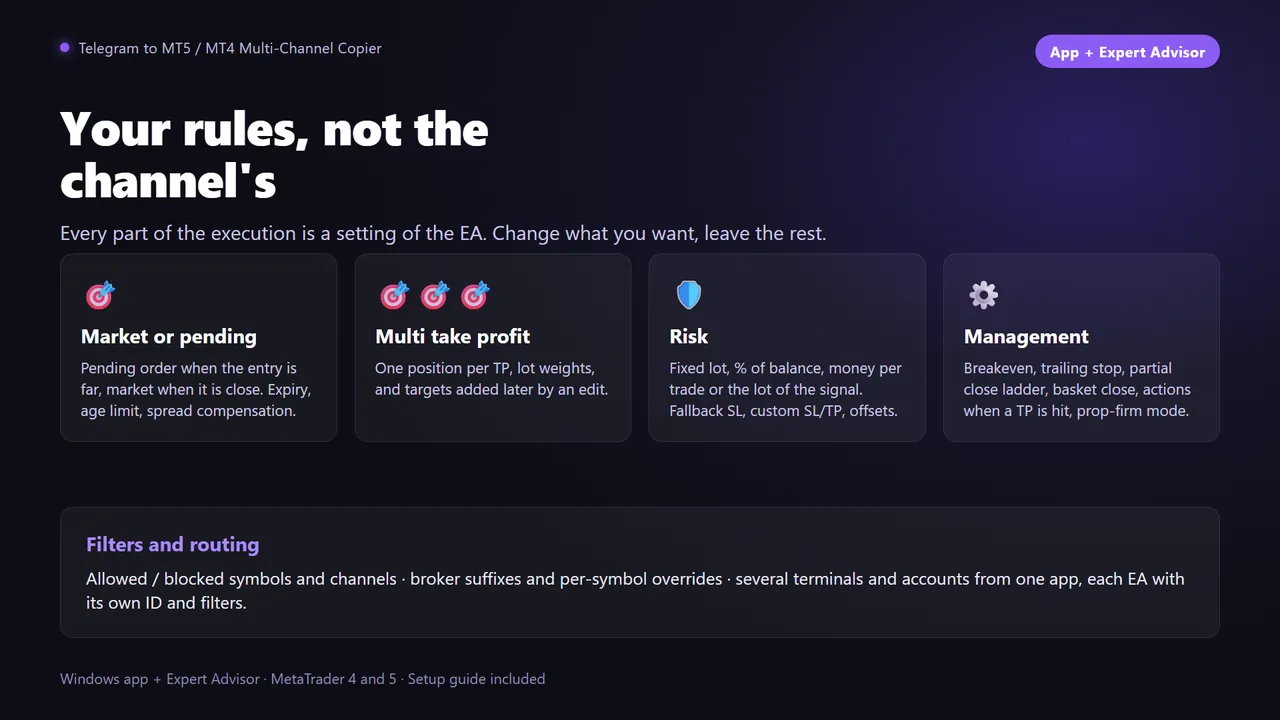
Four risk modes
Fixed lot, percent of balance, fixed money, or the lot written in the signal with a safety cap. A backup lot when a signal has no SL.
Market or pending
Decides by the distance to the signal price, with your own threshold. "BUY NOW" signals can always go at market.
Several TPs and entries
One position per TP or only the first, a limit on how many TPs, one order per entry price or a grid across the zone.
Your own SL and TP
Default levels when the signal has none, a full override with your own distances, or a fixed offset added to the channel's levels.
Trade management
Partial close with breakeven, standalone breakeven and trailing stop, alone or combined, without waiting for the channel.
Filters and routing
Allowed and blocked symbols and channels, per-topic filters, and several terminals or accounts fed from one app.
See it in action
Full setup, start to finish
Download, Telegram login, channels, EA — and the first signal copied.
- Windows 10 or later, also any Windows VPS
- MetaTrader 5 or 4 with AutoTrading enabled
- A personal Telegram account and free API credentials from my.telegram.org

Questions before buying
Can I use it with any Telegram channel?
Yes. The app logs in with your personal Telegram account, so it reads any channel, group or topic you are subscribed to, including private and VIP ones. No bot token needed.
Can I test a channel before copying it?
Yes. The Backtest tab replays the channel's message history on real M1 candles of your broker and shows its real result: net, win rate, profit factor, drawdown and every trade on the chart.
Does it follow breakeven, close and SL updates?
Yes. Follow-up messages such as move to breakeven, close, cancel, change SL or TP are detected and applied to the right trade, even when they are not replies to the original signal.
Does it work with MT4 and MT5?
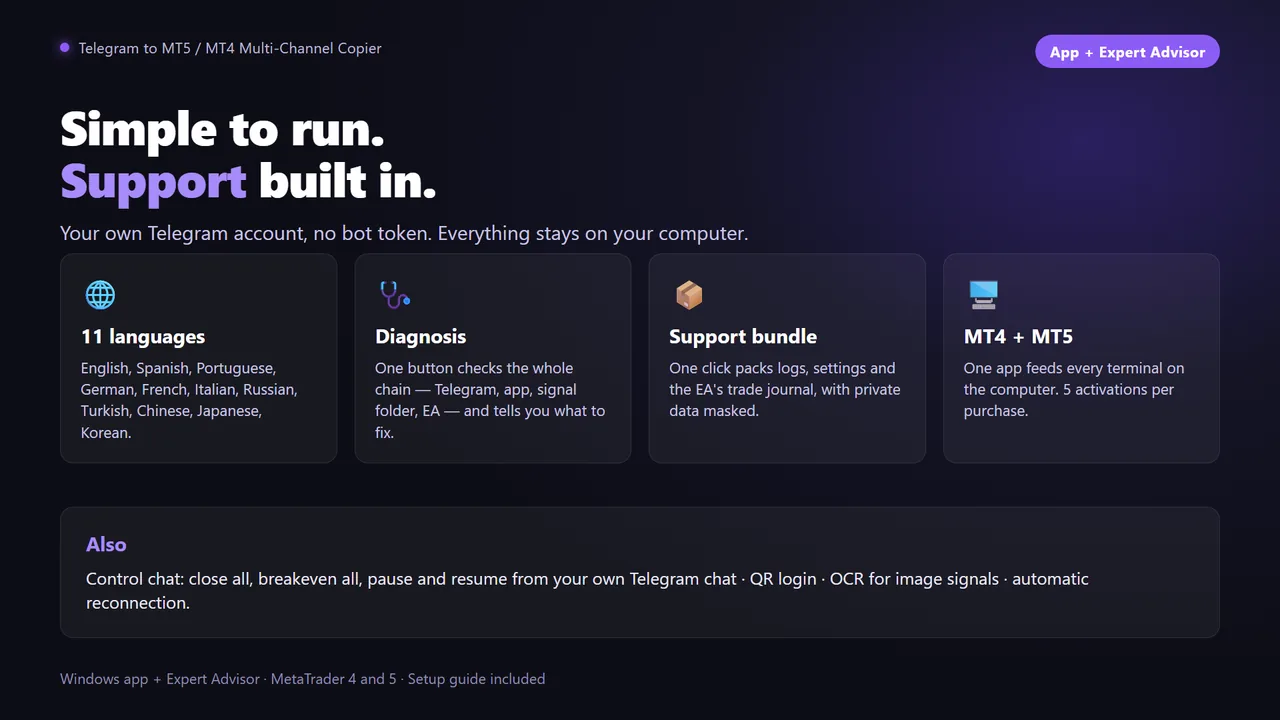
Yes. There is an MT5 and an MT4 version of the Expert Advisor, both fed by the same Windows app. One app can feed several terminals at once.
Does it work with channels that post images?
Yes. Enable OCR in the Setup tab. It needs Tesseract OCR, which is free.
Is my Telegram account safe?
The app uses the official Telegram API with your own credentials and runs 100% locally: it talks directly to Telegram, with no third-party servers in between. The session appears in Telegram, Settings, Devices, and you can revoke it at any time.
How many accounts can I use with one license?
5 MT4/MT5 terminal activations per MQL5 Market purchase.
Does it run on a VPS?
Yes, on any Windows VPS with MetaTrader. It needs Windows 10 or later; the MQL5 built-in virtual hosting cannot run the app.
Copy the channels that deserve it
Sold through the official MQL5 Market: secure payment, automatic install in your terminal and 5 activations per purchase.