 BytePip
A prop firm risk manager that cuts before the firm does
It watches your daily loss limit and your maximum drawdown in real time, shows on every chart how much you can still lose, and closes everything and locks the account before a limit is breached. It opens no trades and gives no signals: it is a safety layer on top of your manual trading, your trade copier or any other EA.
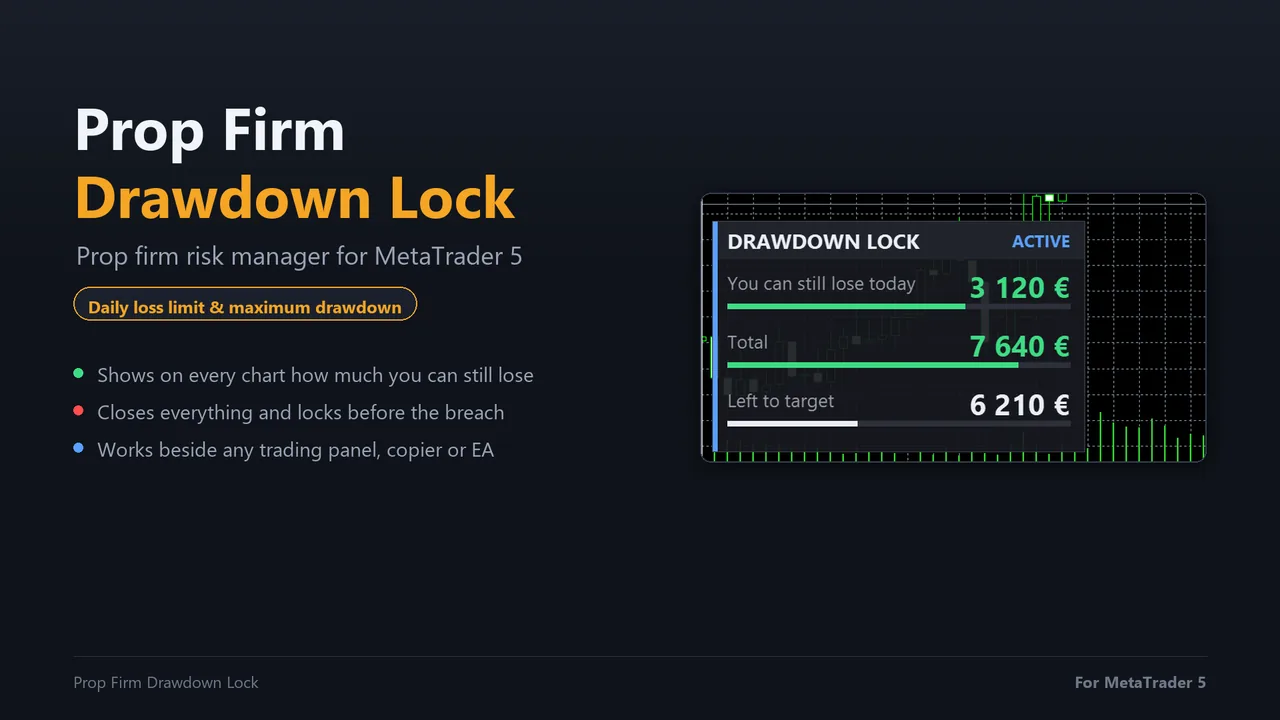
Closing exactly at the limit is closing too late
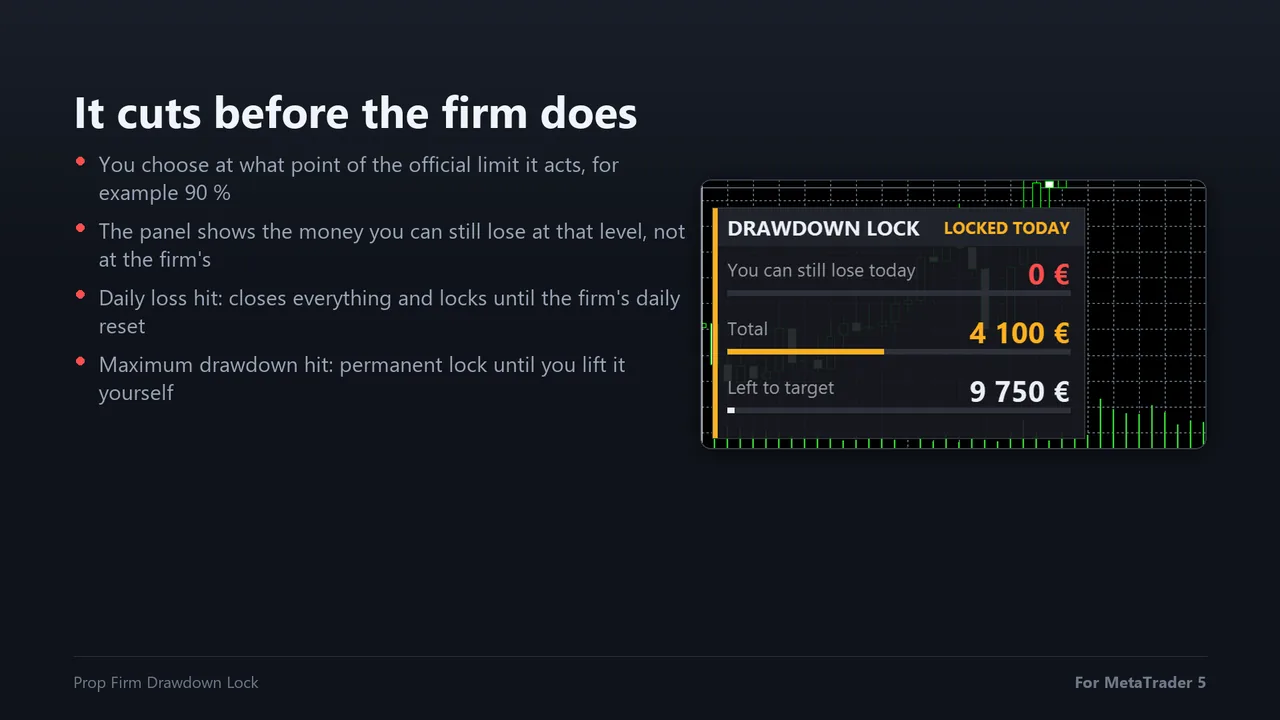
A prop firm counts the breach on equity, tick by tick, and the orders that close your positions cost spread and slippage. You decide at what point of the official limit the EA acts, for example at 90% of the daily loss, and the panel always shows the money left at that level, not at the level where the account is already gone.
- Daily loss hit: everything is closed and trading stays locked until the firm's daily reset
- Maximum drawdown hit: a permanent lock until you lift it yourself
- Drawdown your way: static from the initial balance, trailing on the equity peak or trailing at the end of the day
Three numbers, always in sight
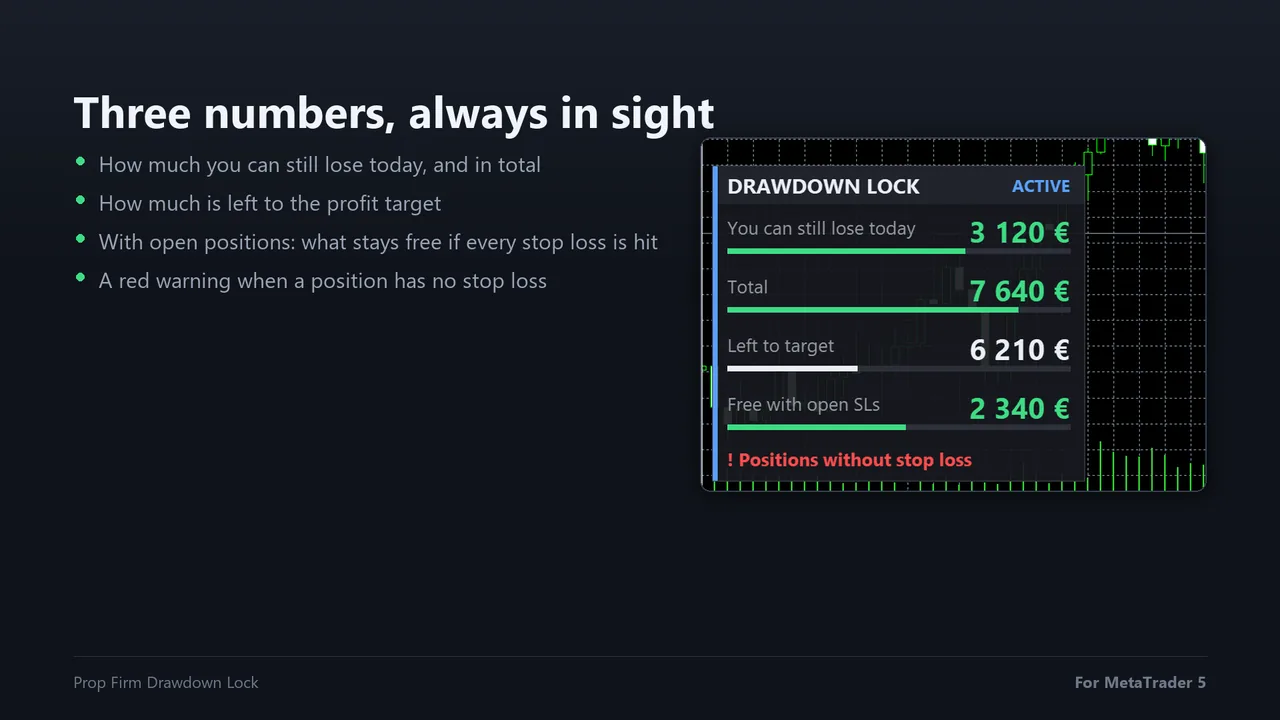
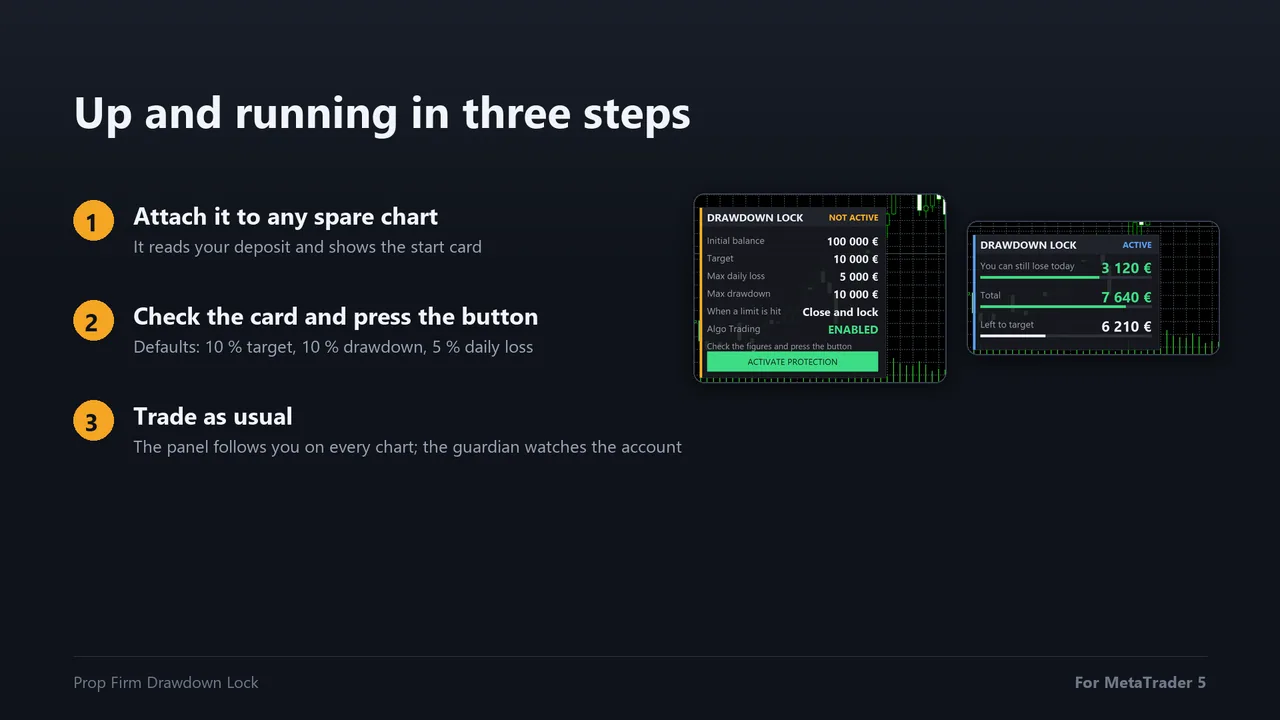
How much you can still lose today, how much you can still lose in total, and how much is left to the profit target. Each number has a bar that turns from green to amber to red as the room shrinks.
- With positions open, a fourth line shows what would still be free if every stop loss were hit
- A red warning appears when a position has no stop loss
- In your account currency, not in percentages you have to convert in your head
Works beside your trading panel or your EA
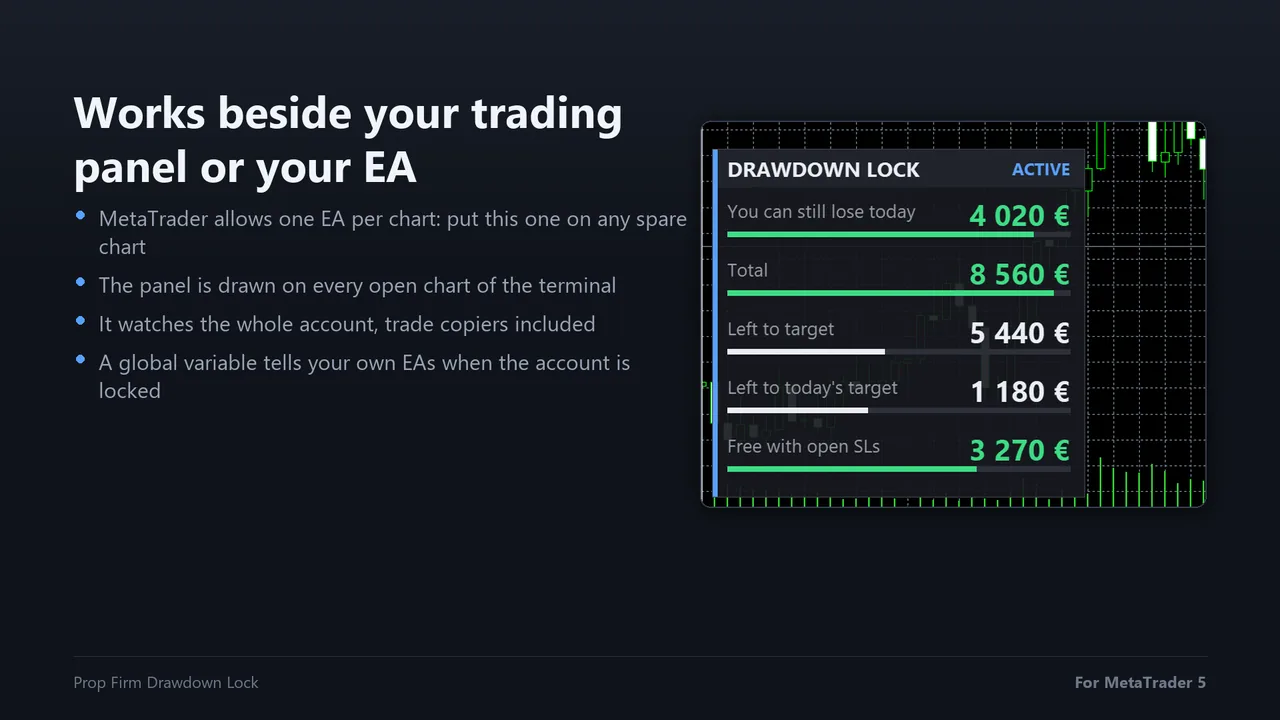
MetaTrader allows one Expert Advisor per chart, so a risk manager usually ends up on a chart you never look at. This one draws its panel on every open chart of the terminal. Put it on any spare chart and the panel appears next to your trading panel, your copier or your strategy EA, while it watches the whole account.
- Manual trading, trade copiers and other EAs in the same terminal
- A global variable tells your own EAs when the account is locked and how much room is left
Nothing happens until you confirm
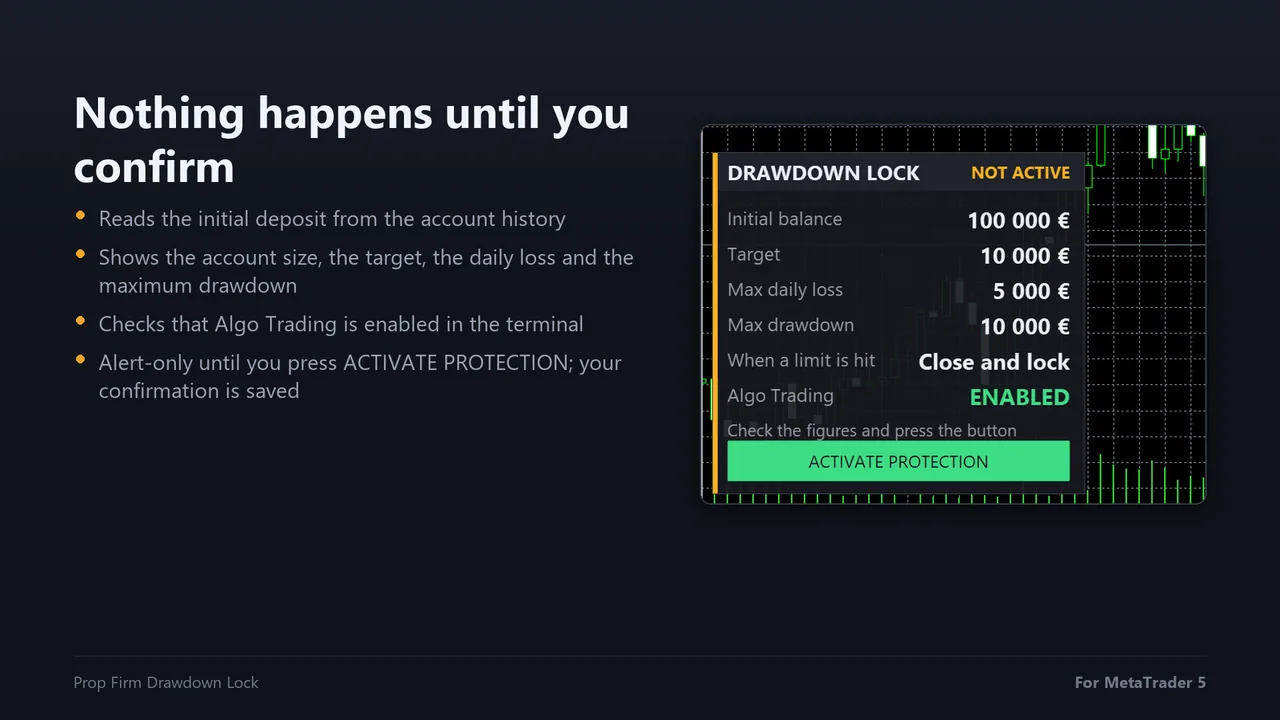
On the first run the EA reads the initial deposit from the account history, so it is right even on an account that has already traded. A start card shows the account size, the target, the daily loss, the maximum drawdown and whether Algo Trading is on. Until you press ACTIVATE PROTECTION it only watches and warns.
You choose how it reacts
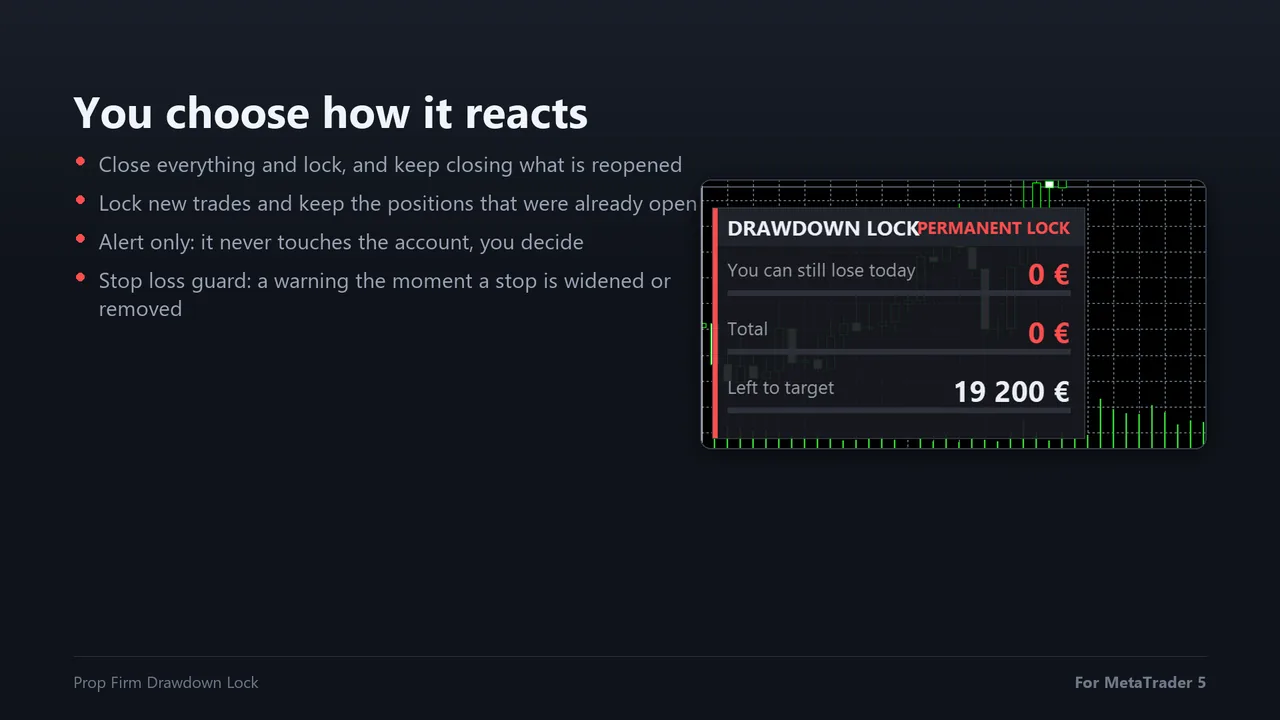
- Close everything and lock: closes all positions, deletes pending orders and keeps closing anything opened until the daily reset
- Lock new trades, keep the open ones: positions already open stay under your management
- Alert only: it never touches the account; it warns on the chart, by push notification and by e-mail
- Stop loss guard: a warning the moment a stop loss is widened or removed, with the money at risk before and after
A daily profit target that closes the winning day
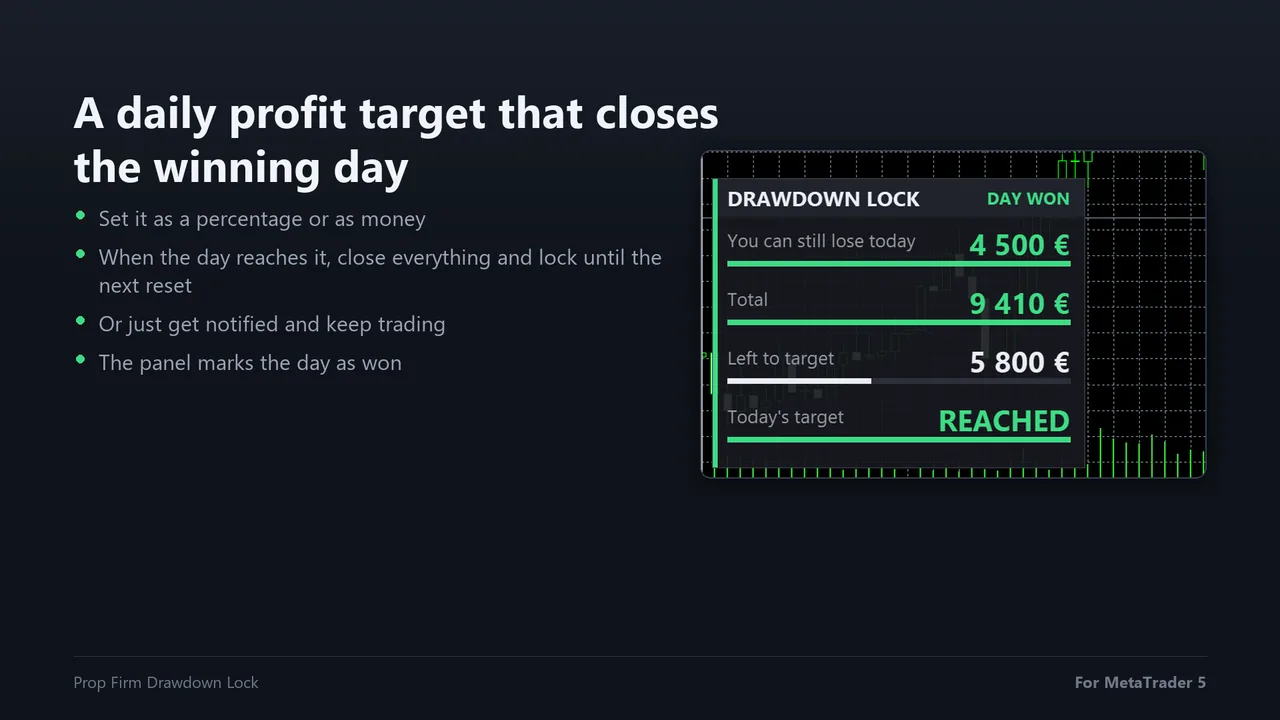
Set a daily target as a percentage or as money. When the day reaches it, the EA can close everything and lock trading until the next reset, or just tell you. The panel shows what is left to today's target and marks the day as won.
The trading rules it keeps for you
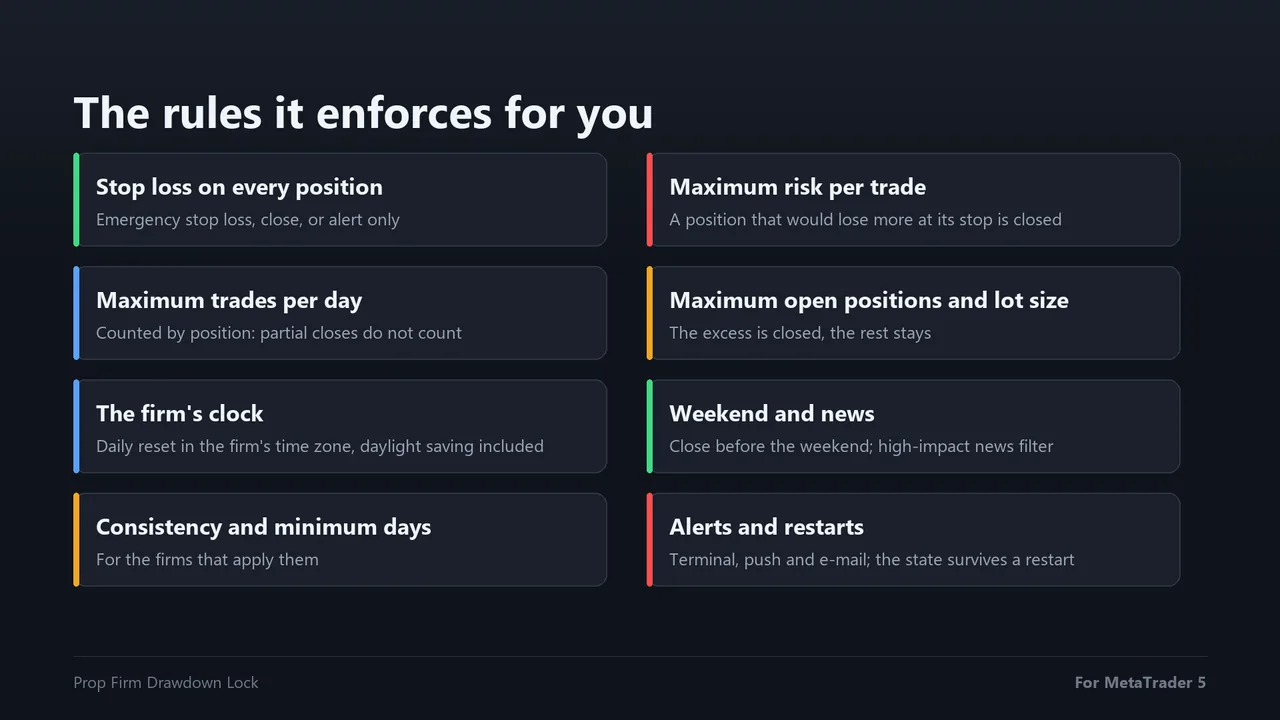
- A stop loss on every position: after a grace period it sets an emergency stop, closes the position or warns
- Maximum risk per trade: a position that would lose more than your limit at its stop loss is closed
- Maximum lot, open positions and trades per day, counted by position so partial closes do not count
- The firm's clock: the daily reset follows the firm's time zone and daylight saving, not your broker's
- Weekend close and a news filter based on the MetaTrader economic calendar
- Built to survive restarts: the equity peak, the day base and the locks are saved and restored
Three steps and it is watching
Attach it to any chart, check the limits on the start card against your firm's current rules, and activate the protection. The defaults are the most common rules: 10% target, 10% maximum drawdown and 5% daily loss.
Questions before buying
Does it open trades?
No. It never opens a position and gives no signals. It only closes, deletes and locks when the limits you set are reached, and it warns you before that.
Can it run next to my trading panel or my strategy EA?
Yes. Attach it to any other chart of the same terminal. It watches the whole account and its panel is drawn on every chart, including the one where your panel or your EA works.
At what point does it close: at the limit or before?
Before. You set the safety cushion, for example 90% of the daily limit, and the panel shows the money left at that level. The cushion covers spread, slippage and the time the broker takes to close.
Does it know my firm's rules?
The defaults are the most common rules: 10% target, 10% maximum drawdown, 5% daily loss, static drawdown and Central European time. Compare them with your firm's current rules and adjust the inputs; the start card shows the resulting figures before anything is activated.
What if I restart MetaTrader?
The equity peak, the base of the day, the locks and your activation are saved in a state file. On restart it continues where it was.
Can it stop my own EA from opening trades?
Yes. It publishes a global variable with the lock state and the free room: DDL_LOCKED is 1 when the account is locked and 0 when it is free, and DDL_LOCKED_ROOM holds the money still available until the nearest cut.
Does it work in the Strategy Tester?
Yes, in visual mode, with the panel and the start card, so the free demo on MQL5 shows the whole workflow.
Protect your challenge and your funded account
Sold through the official MQL5 Market: secure payment, automatic install in your terminal and 5 activations per purchase. It enforces the limits you set; always check your firm's current rules and try it on a demo first.

Know if an EA works before you risk real money
The EA Reality Check: the 12 tests I run on every strategy before it goes near a live account, with a one-page score sheet. Free PDF.