 BytePip
Your trading journal, written for you
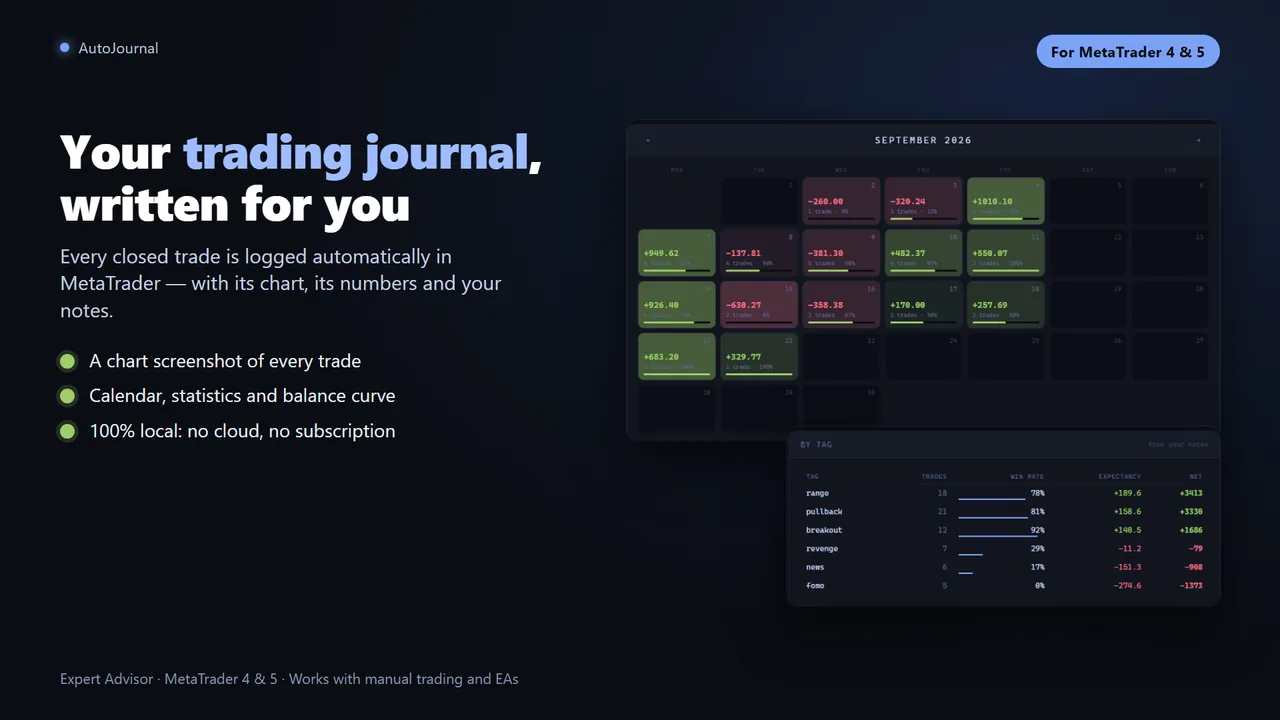
Every closed trade is logged automatically, with a chart screenshot, full statistics and a calendar dashboard. It runs in the background, works with manual and EA trades, and everything stays on your own computer.
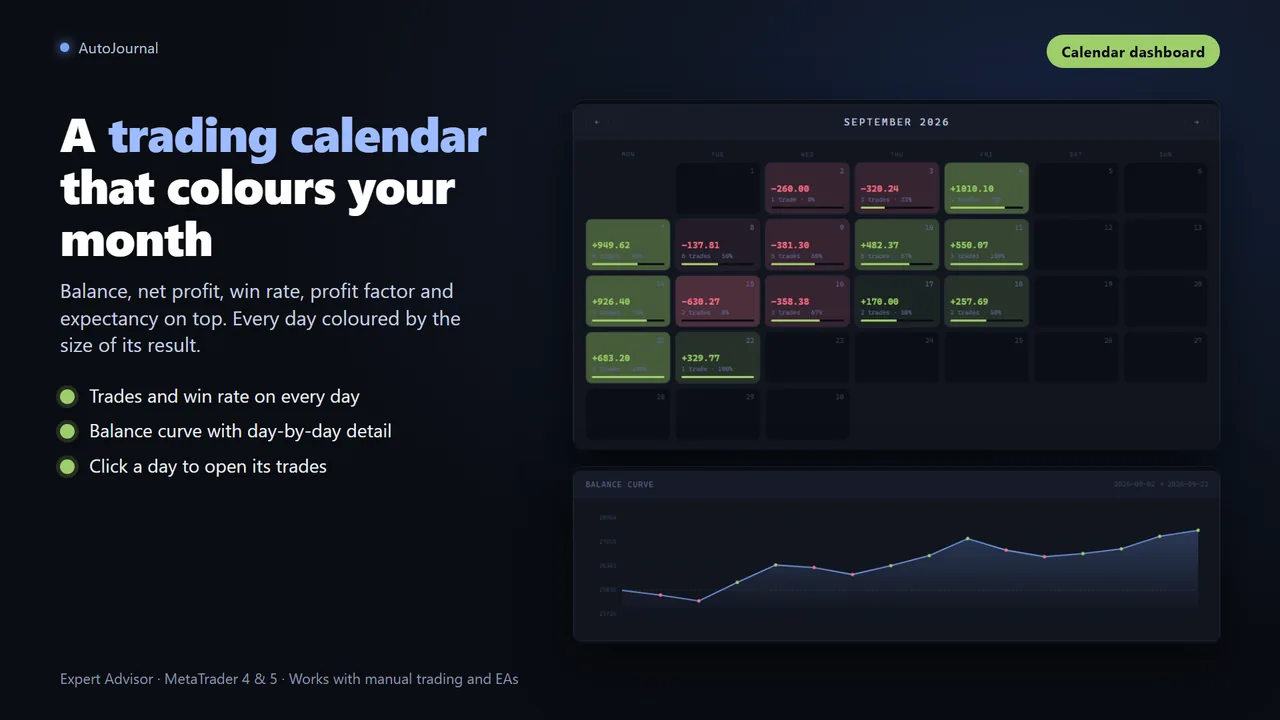
A calendar you want to open
The home page shows your balance, net profit, win rate, profit factor and expectancy, your green-day streak, and a monthly calendar where each day is coloured by the size of its result.
- Each day with its number of trades and win rate; click it to open its trades
- A balance curve with day-by-day tooltips
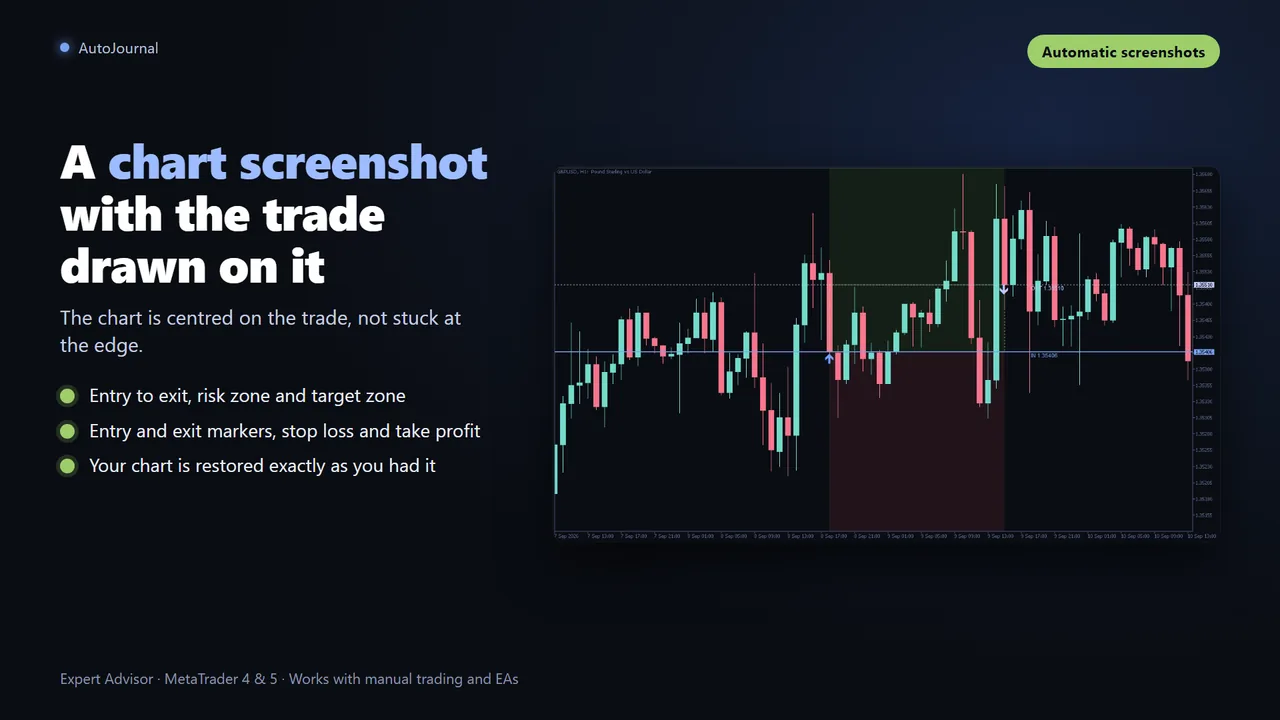
The chart of each trade, captured for you
The moment a trade closes, AutoJournal centres the chart on it and draws the entry-to-exit zone, the risk down to the stop loss, the target up to the take profit and the entry and exit markers. Then your chart is put back exactly as you had it.
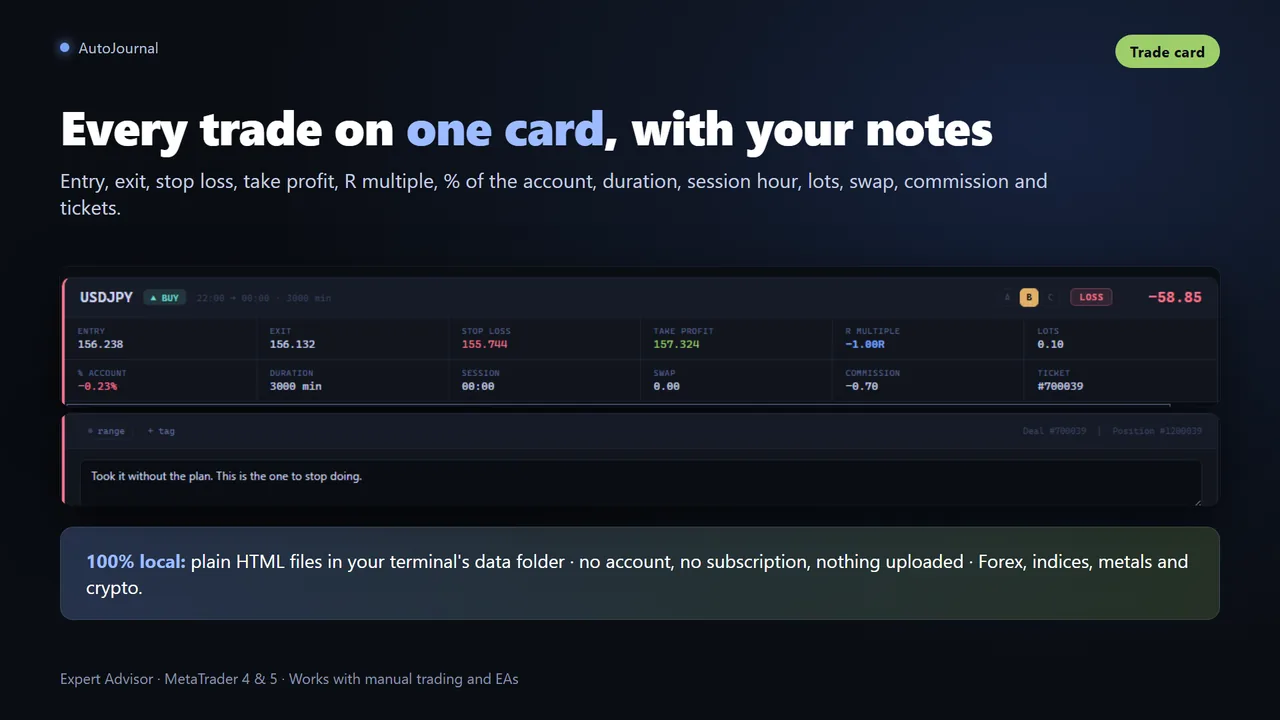
- Entry and exit, SL and TP, lot, duration and direction
- Net result including commission and swap, percentage of account and risk-reward ratio
- Wins, losses and breakevens colour-coded and filterable
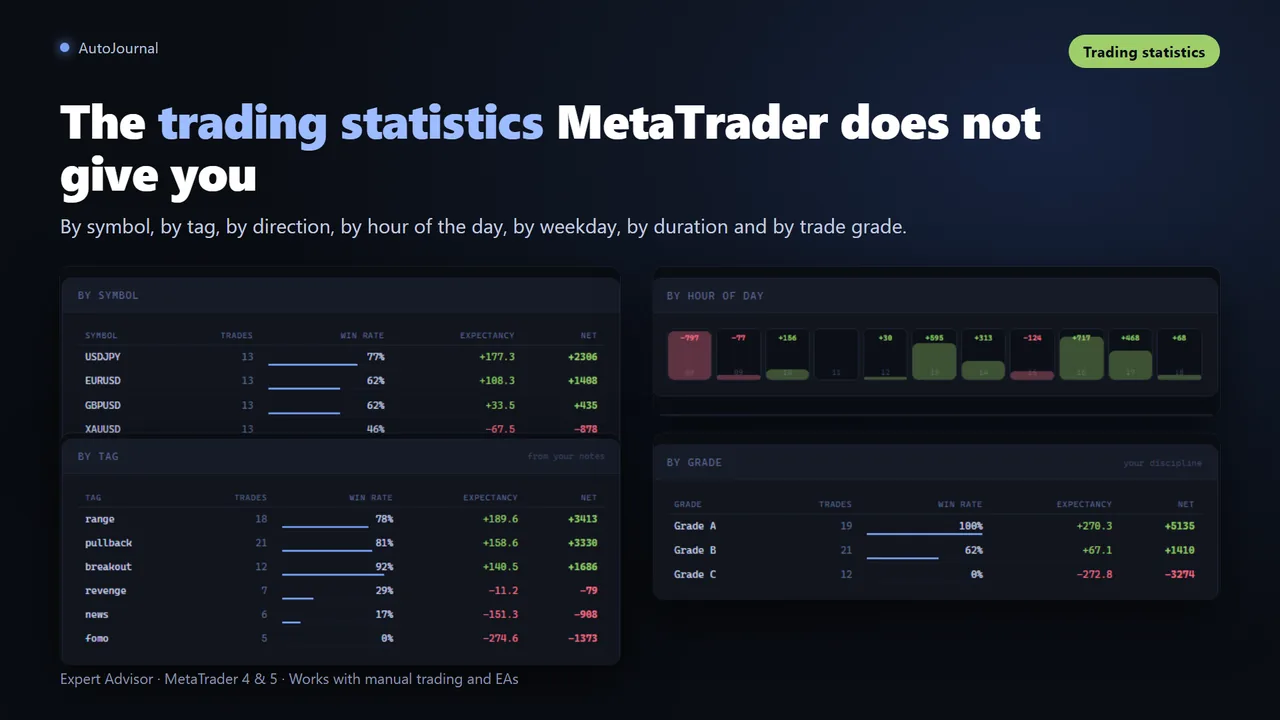
Statistics that tell you something
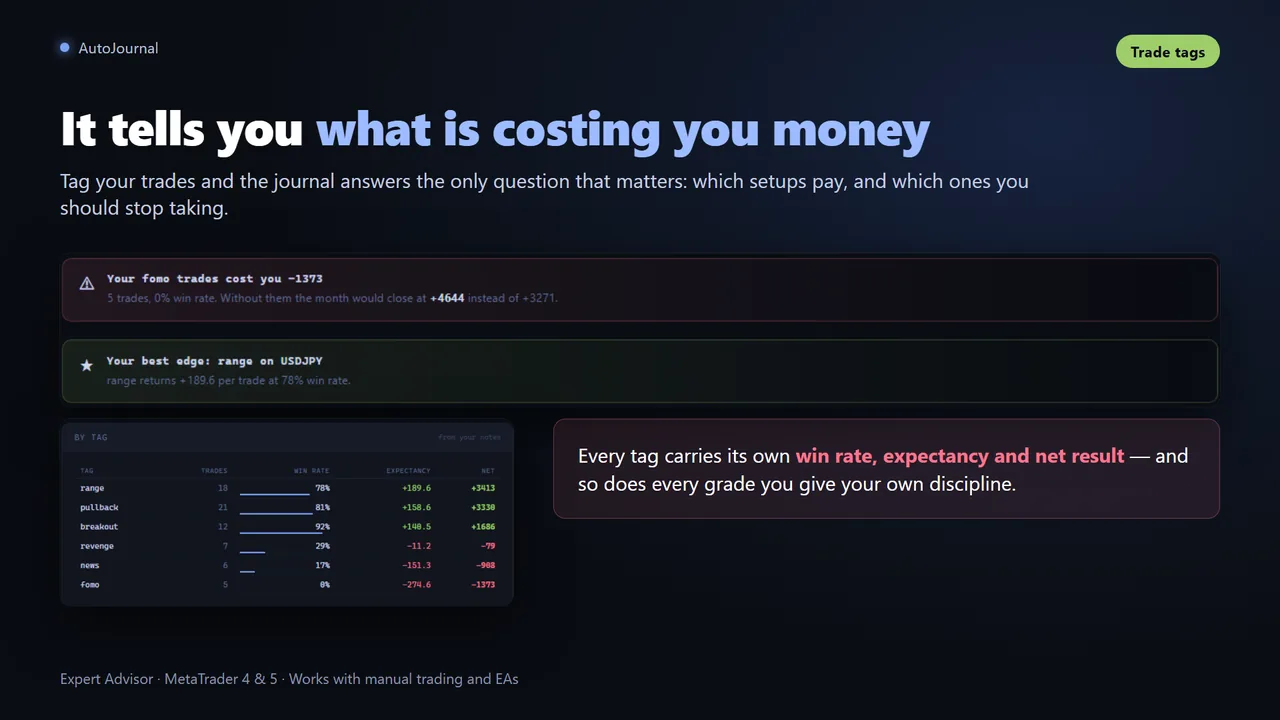
A full breakdown by symbol, tag, direction, hour of the day, weekday, trade duration and trade grade, plus two conclusions written in plain language at the top, so you know what is working without reading a single table.
- Tag and grade every trade A, B or C and write what you saw
- Each tag with its own win rate and expectancy: which setup to keep and which one to drop
Your trading data never leaves your computer
The journal is written to plain HTML files inside your terminal's data folder. No account, no subscription, no cloud. A “Journal” button on the chart creates a shortcut, so your journal is one click away even with MetaTrader closed.
Per-chart mode
Each instance journals its chart's symbol, with screenshots. Install it on as many charts as you want: deal tickets prevent duplicates.
Centralized mode
One instance on a single chart journals every symbol of the account, without screenshots.
Historical import
On start it adds the trades of your account history that are not in the journal yet: the full history or the last N days.
Questions before buying
Where is my journal stored?
In your terminal's data folder, under MQL5\Files\AutoJournal. The "Journal" button on the chart shows the exact path and creates a one-click shortcut.
Does it record trades opened by EAs?
Yes. It records every closed trade of the chart's symbol, or of the whole account in centralized mode, however it was opened: manually, by an EA or from mobile.
Can I test it in the Strategy Tester?
The journal is designed for live and demo charts. To evaluate it, attach it to a demo account chart with some trading history and the journal is built in seconds.
I trade several symbols. How should I set it up?
Either one instance per chart, each with its own screenshots, or a single instance in centralized mode that logs everything. Every deal ticket is recorded only once.
Does it need a subscription or an external service?
No. Everything is generated and stored on your own computer.
Stop filling spreadsheets
Sold through the official MQL5 Market: secure payment, automatic install in your terminal and 5 activations per purchase.